
The platform
One system for the front desk.
A visit is booked once. The coverage check, the reminder, the patient's own change of plan, the payment and the phone call are all on that same visit.
For independent practices with one to ten providers.
What a practice gets
Eight parts that share one calendar, one patient list and one record of who did what.
Insurance checks
Coverage checked with the payer before the visit, one patient at a time or a whole day at once: whether coverage appears active, the estimated patient responsibility, and who needs a call first.
How insurance checks workScheduling
A calendar built around each provider's hours and visit types. The front desk books into open times, drags a visit to move it, and prints the day as a list for the morning huddle.
How the calendar worksReminders
Reminders sent for the practice at the times it chooses, only to patients who have agreed. A patient answers from the link in the reminder, and every reminder says how to stop them.
How reminders workPatient self-service
From the link in a reminder, a patient confirms, cancels or moves their own visit to another open time. No account, no password and no phone call.
What the patient seesPayments at the desk
Card, cash and check taken at the front desk and recorded against the patient and the visit, with the drawer counted at the end of the day. Card payments go to the practice's own payment account, and we never receive a card number.
How payments workVoice agent
Answers the practice's line and books, moves and cancels visits in the same calendar the front desk is looking at. Every booking, move and cancellation is written on the visit, in words.
How the voice agent worksTelehealth
Video visits booked on the same calendar as every other visit, with the same open times, the same reminders and the same history on the visit.
Telehealth on the calendarText messages
Appointment reminders by text, from a phone number registered to the practice alone. A patient replies STOP to stop them and HELP for help.
How text reminders work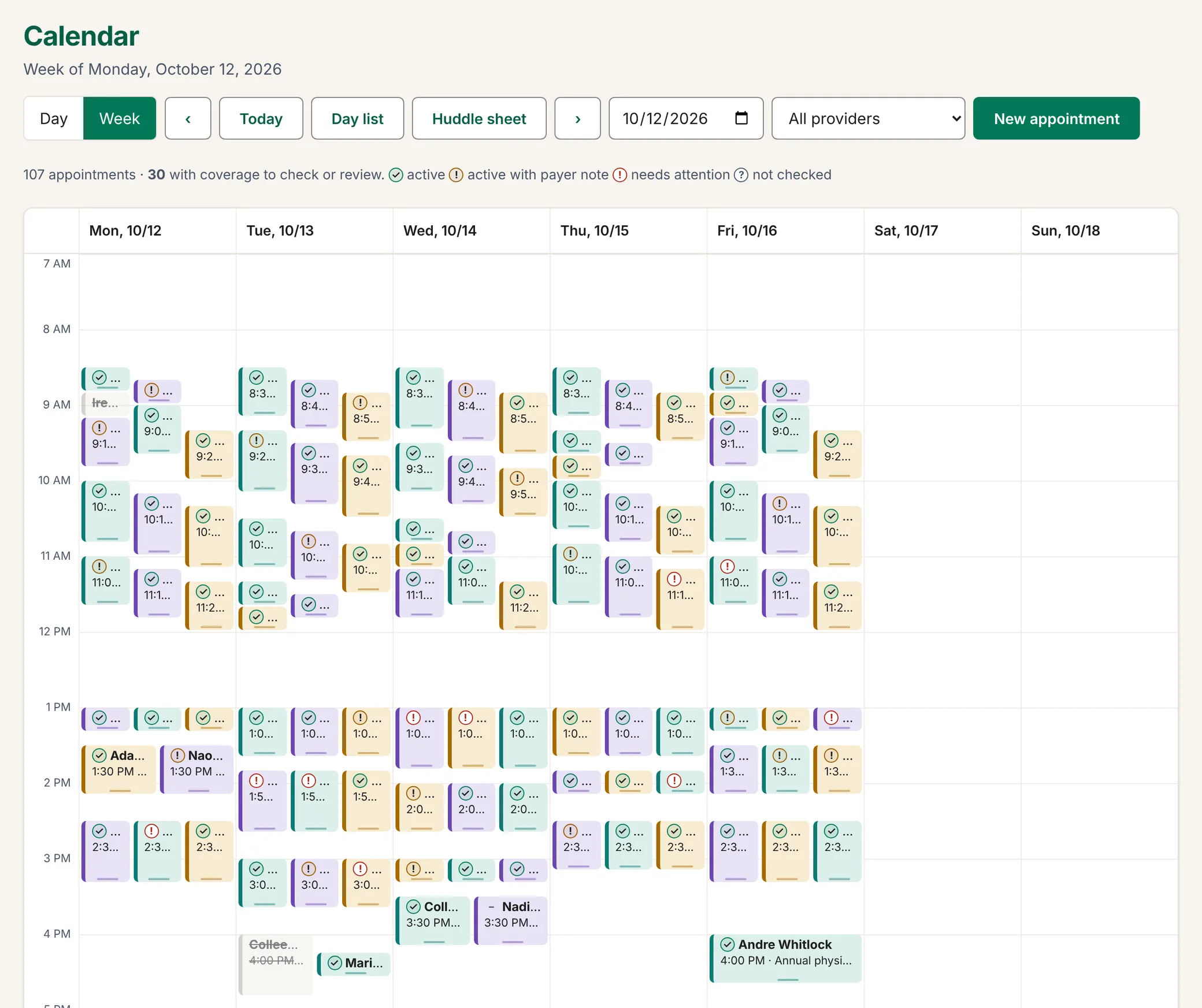
Why one system rather than six good ones
Each of the six can be good at its job and the front desk still does the joining by hand. One system takes the joins away.
- The schedule knows the coverage. Every booked visit on the calendar carries a coverage mark, and one button checks the whole day.
- The reminder knows the schedule. Move a visit and its reminders move with it. Cancel it and they stop.
- The patient's answer lands on the visit. A confirmation from a reminder is on the visit at once, and on the calendar the next time it loads. So is a change made by phone.
- The desk knows what to collect. The huddle sheet puts the estimate beside each visit before the day starts, and the payment is recorded against that visit.
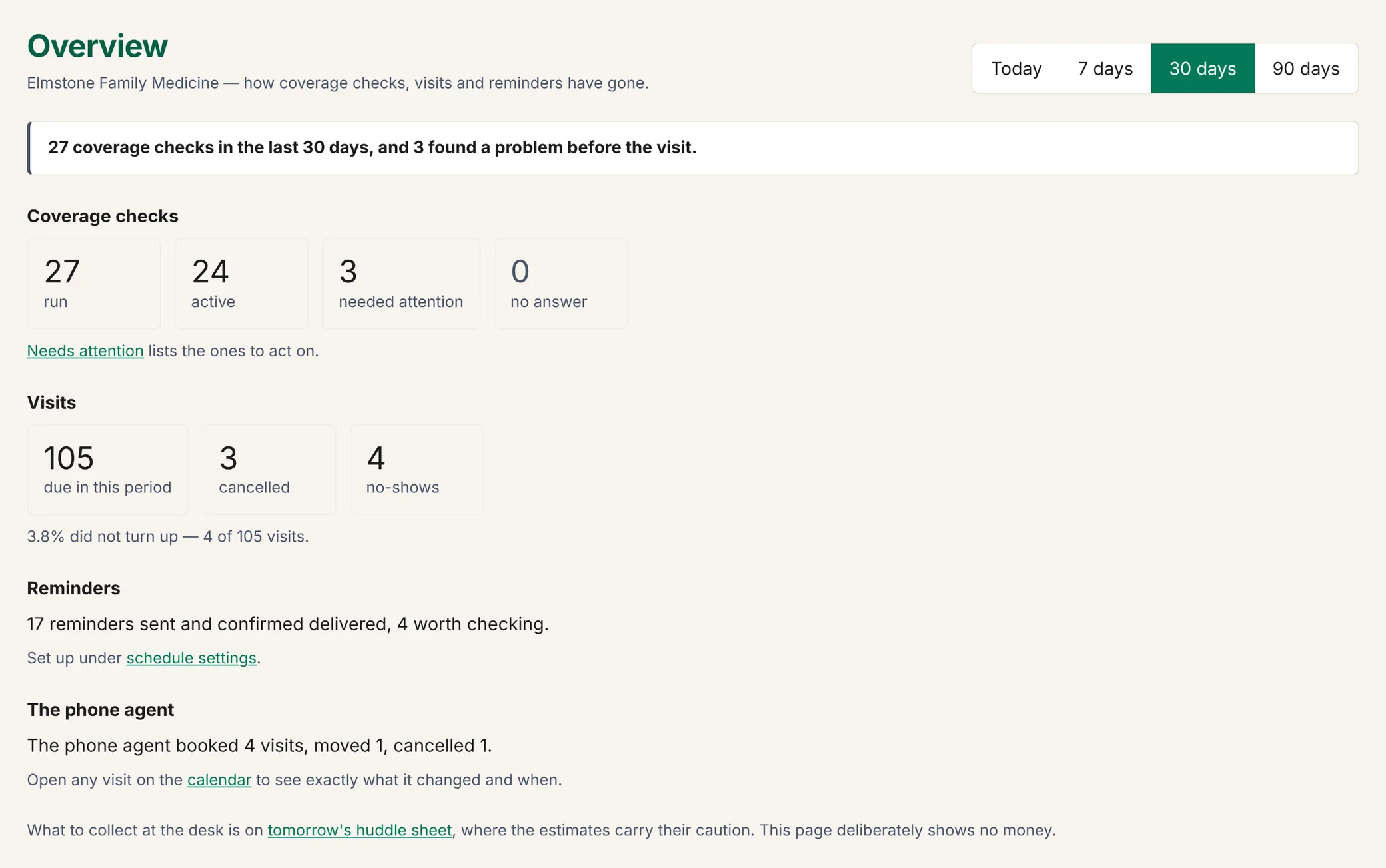
- The owner sees one picture. Checks run, visits due, cancellations and no-shows, reminders delivered, and what the phone agent did.
Where to start
Nothing has to move in one weekend. Start with insurance checks alone, or take the whole front desk. A plan change takes effect as soon as it is made.
Start with insurance checks
The Verify plan is checks alone: one patient at a time, with the answer in plain words.
Insurance checksStart with the whole desk
The Front Desk plan adds the calendar, reminders, patients' own changes and payments at the desk.
Scheduling and remindersAdd the phone when you are ready
The voice agent books into the same calendar. It can come on the first day or later.
Voice AITalk to us
Book a 20-minute look. Tell us how many providers you have and what your front desk spends its day on. We will show you the app with a sample practice and answer what you ask.
- support@elleryhealth.net
- Phone
- (732) 444-7364
- Hours
- Monday to Friday, 9:00 am to 5:00 pm Eastern